Oxygen Sensor and Oxygen Control (Before CAT), Checking
Special tools and equipment
- VAG 1551/1552 Scan Tool using VAG 1551/3 adapter cable
- VAG 1598/18 Test Box
- Fluke 83 multimeter (or equivalent)
- VW 1594 Adapter set
- Wiring diagram
Requirement
- Engine Coolant Temperature 80 °C minimum
Functional check
- Connect VAG 1551 (VAG 1552) Scan Tool. Refer to Scan Tool Testing/VAG 1551 Scan Tool. Testing and Inspection
- With engine idling, press buttons -0- and -1- to select "Engine electronics" address word 01.
Display will appear as shown
Rapid data transfer HELP
Select function XX
- Press buttons -0- and -8- to select "Read measuring value block".
- Press -Q- button to enter selection.
Display will appear as shown
Read measuring value block HELP
Input display group number XXX
- Press buttons -0-, -2- and -5- to select "Display group number 25".
- Press -Q- button to enter selection.
Display will appear as shown (1 to 4 = Display fields)
Read measuring value block 25 ->
1 2 3 4
- Check Oxygen control Specifications (before cat). See Display fields 1 to 3
Display Group 15:
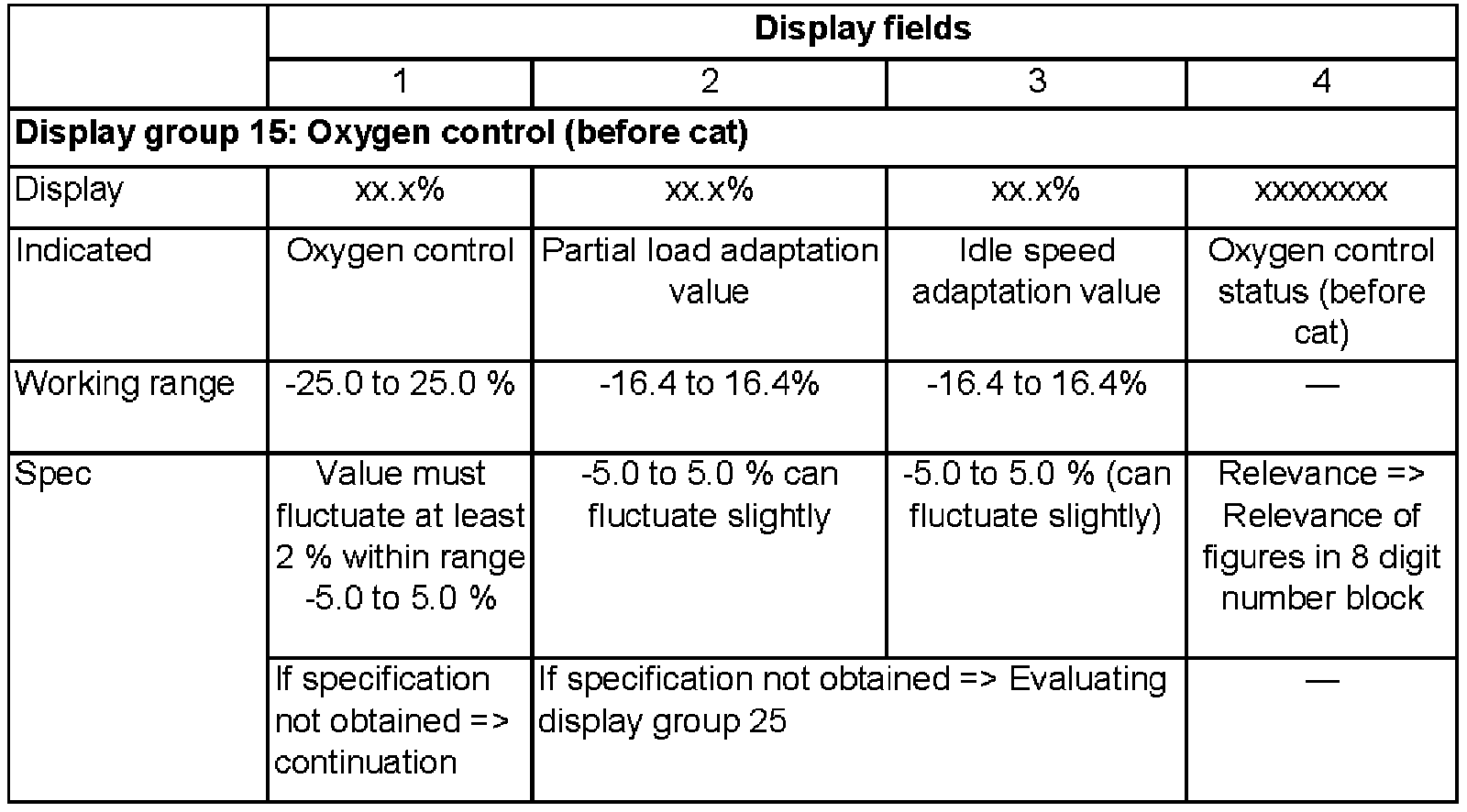
Continuation
If the specification in Display field 1 is not obtained, or the value does not fluctuate at least 2%
- Road-test vehicle to reduce possible build-up on Oxygen sensor and repeat check.
If the specification in Display field 1 is not obtained even after a road test, or the value does not fluctuate at least 2 %:
- Check Oxygen sensor heating. Heater Check
If the value displayed in Display field 1 remains constant:
- Press -C- button.
- Press -1-, -1- and -5- to select "Display group number 115".
- Press -Q- button to enter selection.
Display will appear as shown (1 to 4 = Display fields)
Read measuring value block 115 ->
1 2 3 4
- Note Oxygen sensor Voltage in Display field 3.
Display Group 115:
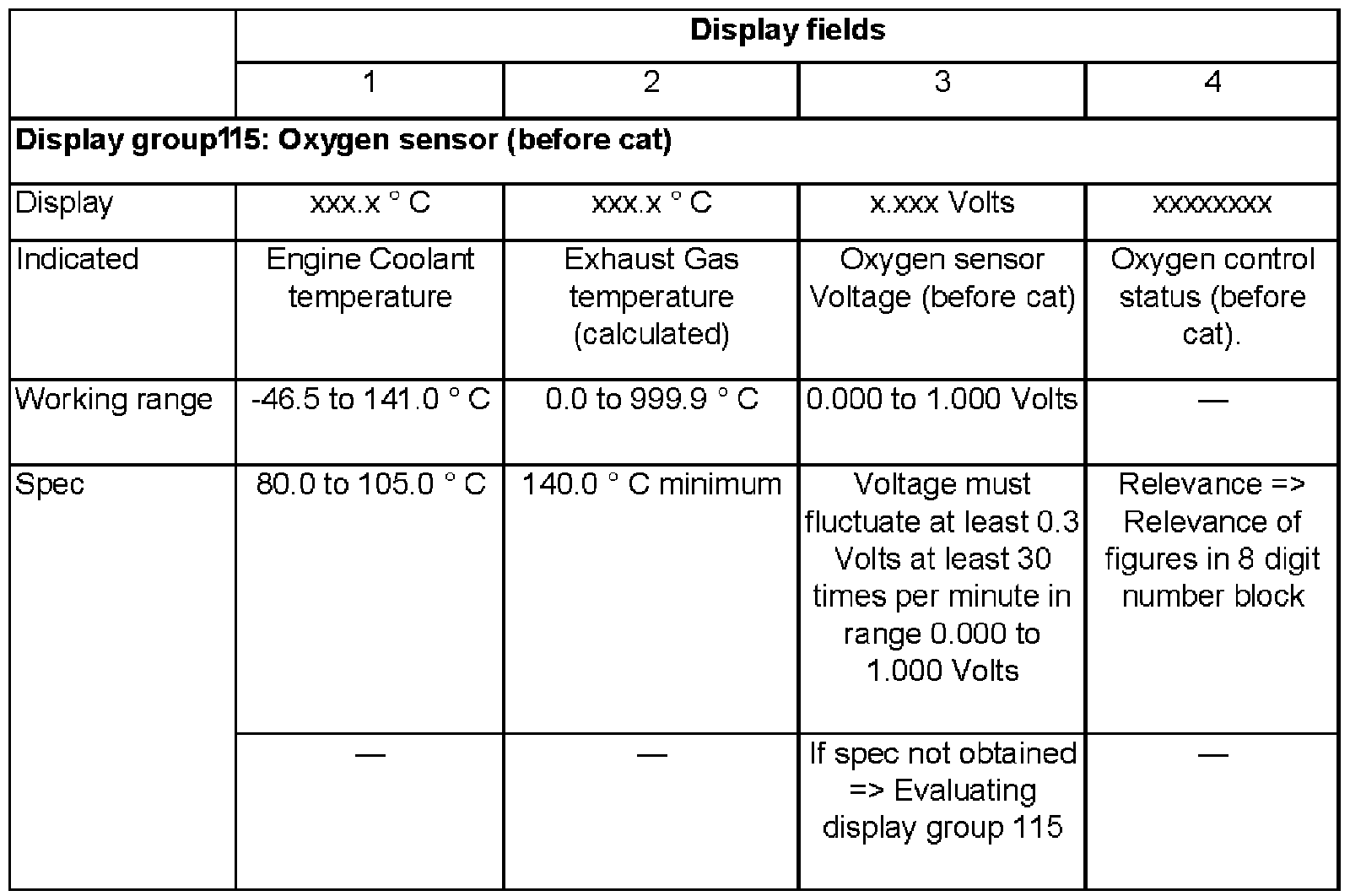
- Press -> button.
- Press buttons -0- and -6- to select "End output".
- Press -Q- button to enter selection.
- Switch ignition off.
Evaluating display group 25
Display Group 25:
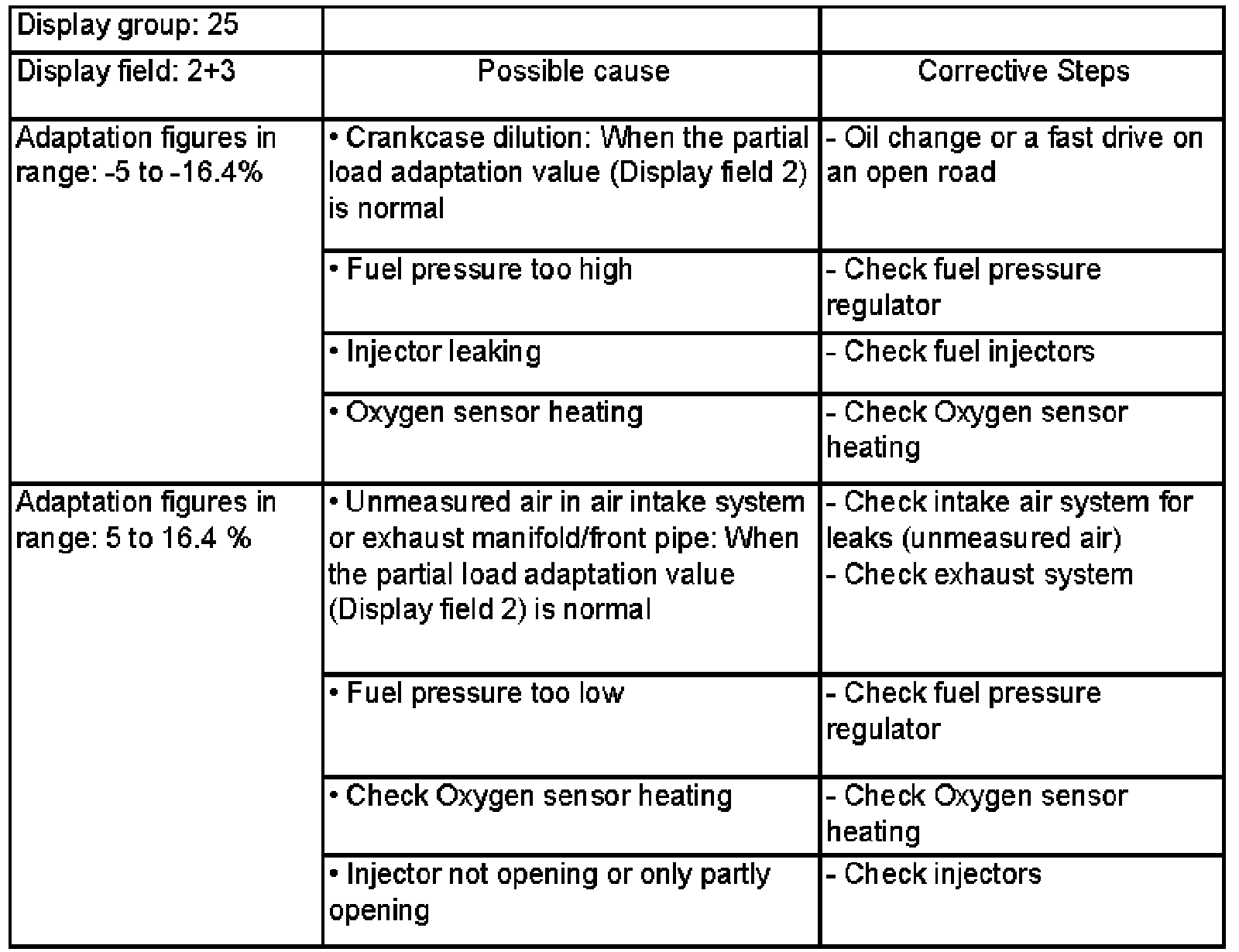
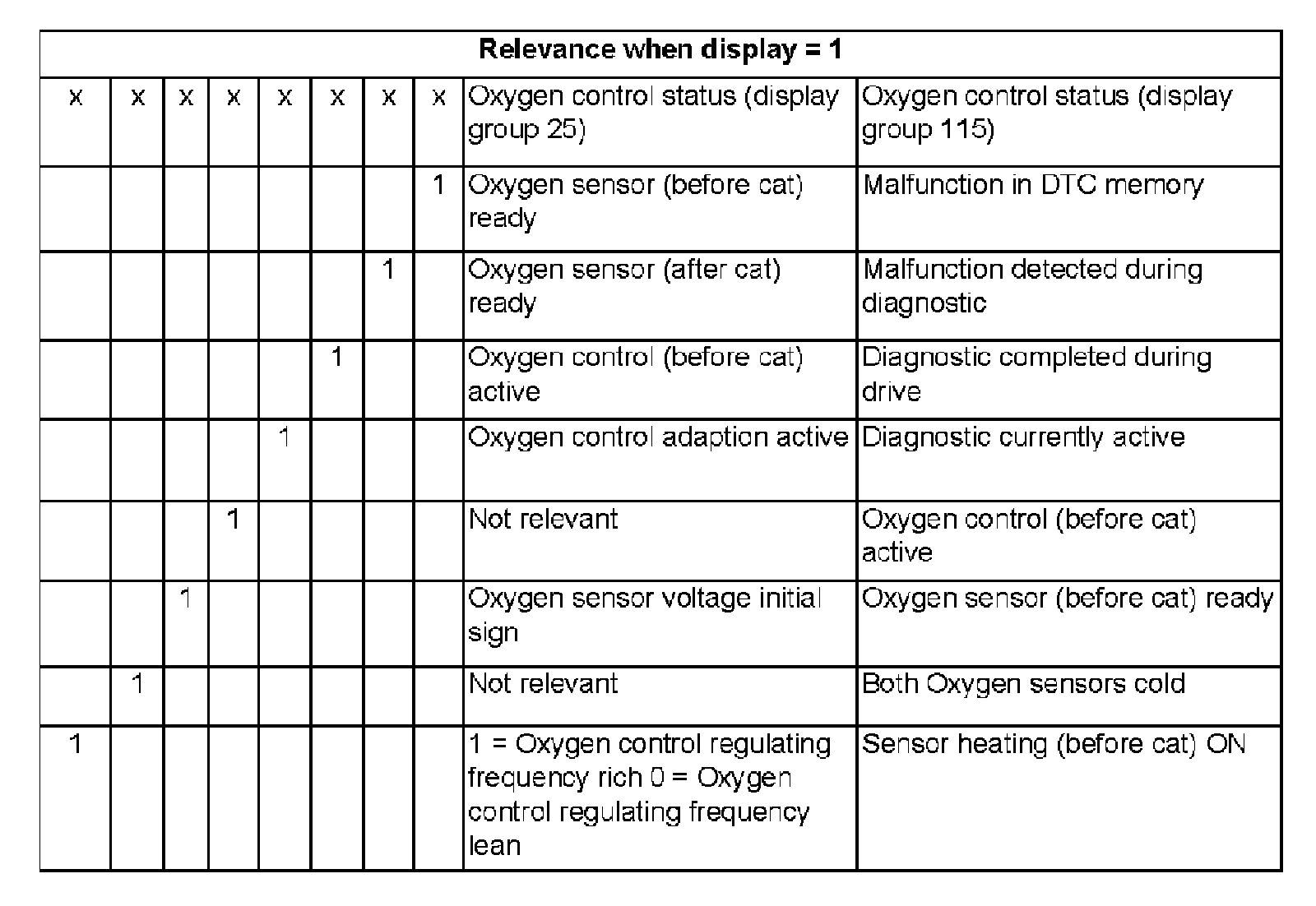
Evaluating display group 115
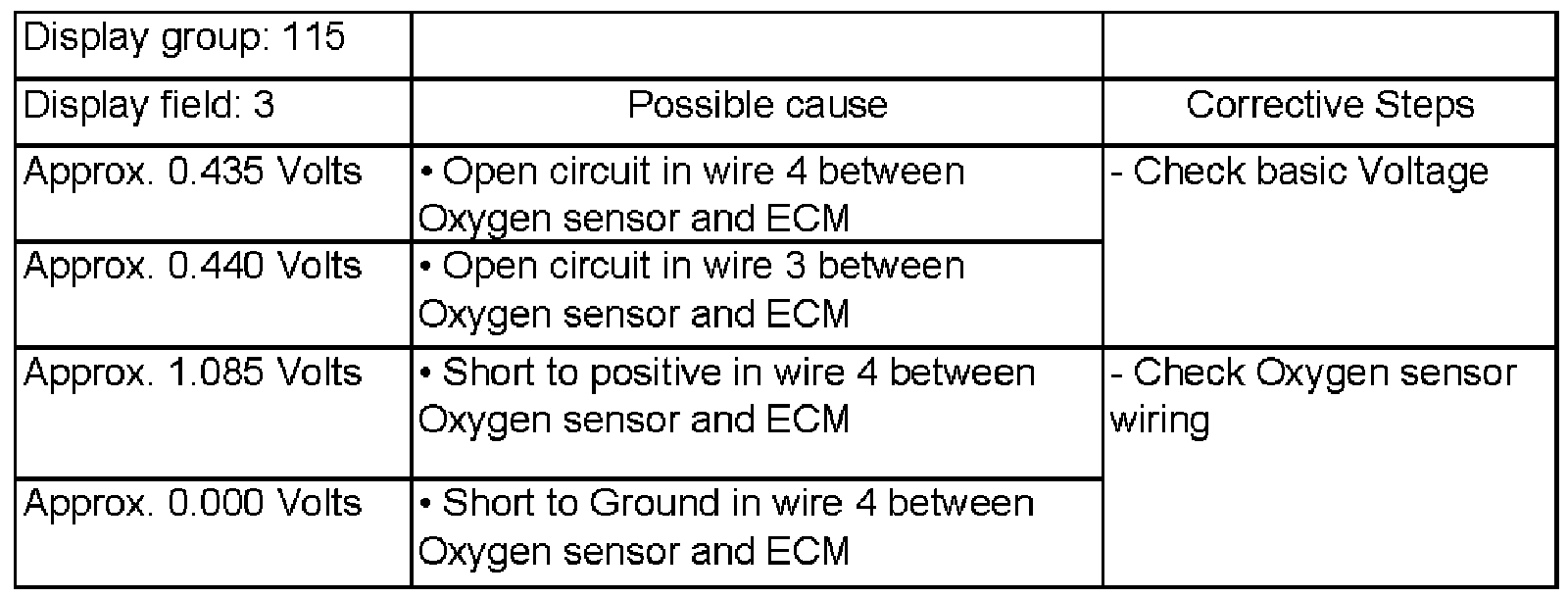
Relevance of figures in 8 digit number block
Basic Voltage, checking
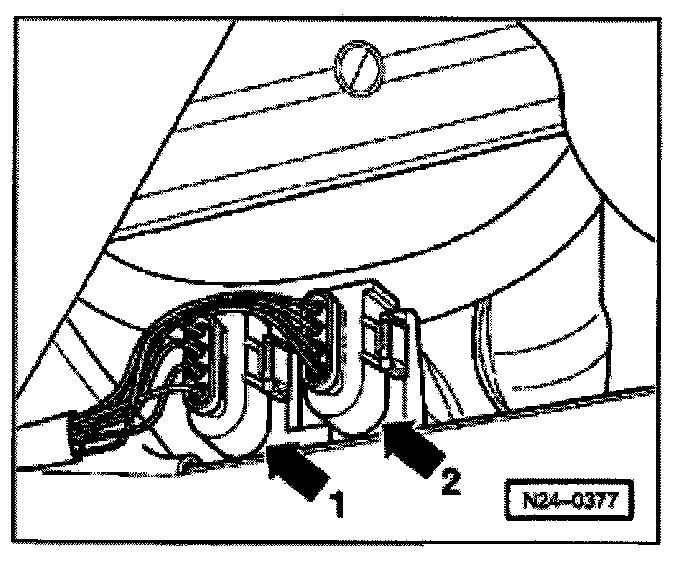
- Disconnect (black) 4-pin harness connector to Oxygen sensor (before cat) -G39- -1-.
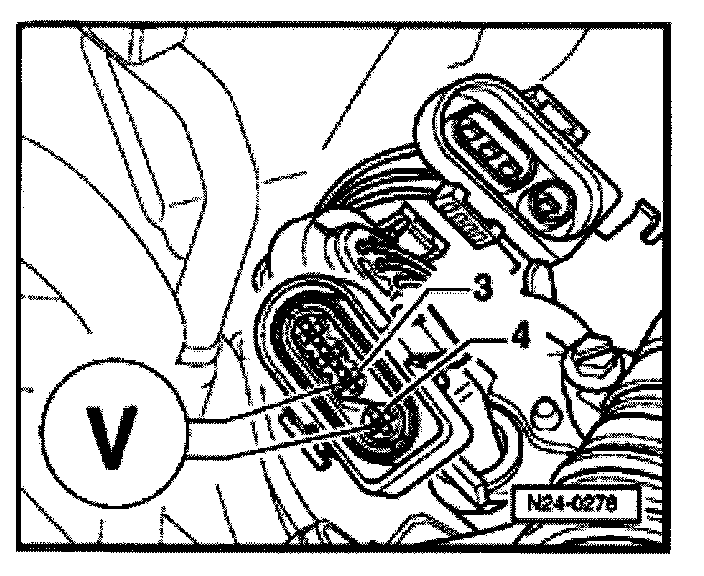
- Connect multimeter between terminals 3 + 4 using jumper wires from VW 1594 adapter kit.
- Start engine and measure basic voltage.
specification: 0.40 to 0.50 Volts
- Switch ignition off.
If specification not obtained:
- Check Oxygen sensor wiring.
If specification obtained:
- Replace Oxygen sensor (before cat) -G39-.
Oxygen Sensor Wiring, Checking
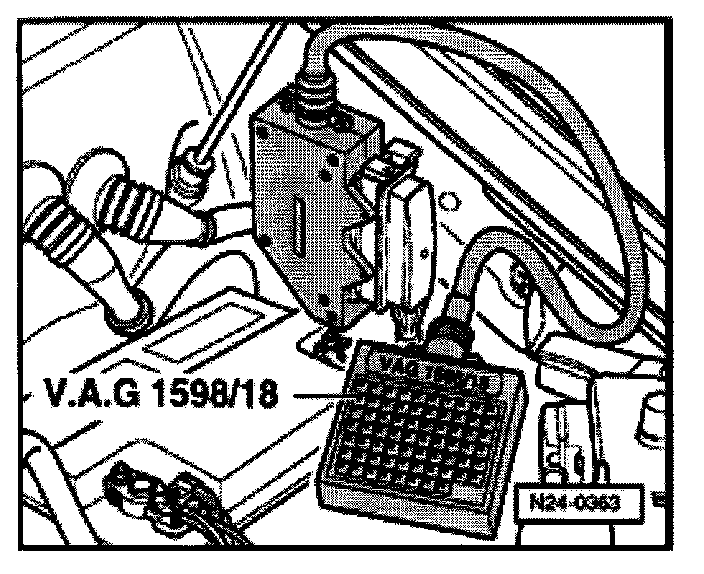
- Connect VAG 1598/18 Test Box to ECM harness connector.
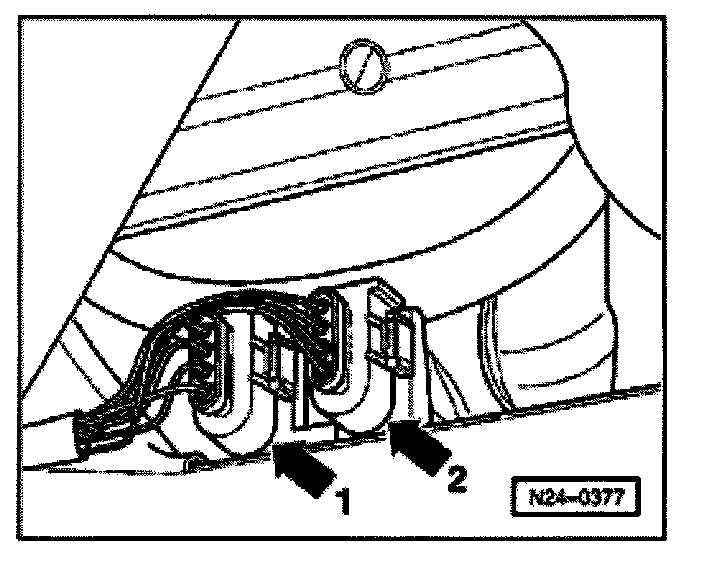
- Disconnect (black) 4-pin harness connector to Oxygen sensor (before cat) -G39- -1-.
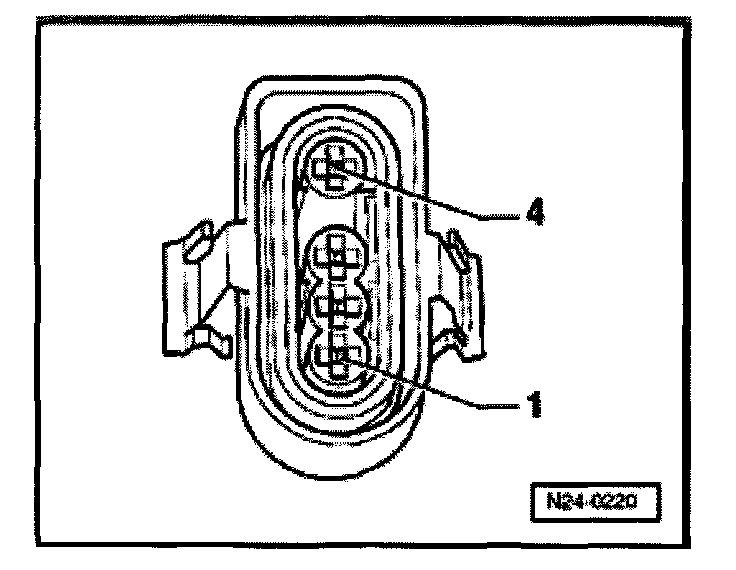
- Check wiring between Test Box and 4-pin ECM connector for open circuit using wiring diagram, connect as follows:
terminal 3 + socket 42
terminal 4 + socket 20
- wire resistance: 1.5 Ohms
- Check wires at 4-pin connector for shorting to one another.
terminal 4 + socket 42
- specification: infinity Ohms
- Check shielding for short to sensor wiring using wiring diagram, connect as follows:
terminal 4 + socket 56
terminal 3 + socket 56
- specification: infinity Ohms
If wiring OK:
- Replace ECM -J220-.
- Perform Basic setting.
- Read-out Readiness code. Refer to Monitors, Trip and/or Drive Cycle (Readiness Codes)/Readiness Code Checking. Testing and Inspection
If DTC memory was erased, create new Readiness code. Refer to Monitors, Trip and/or Drive Cycle (Readiness Codes)/Readiness Code Generating Testing and Inspection