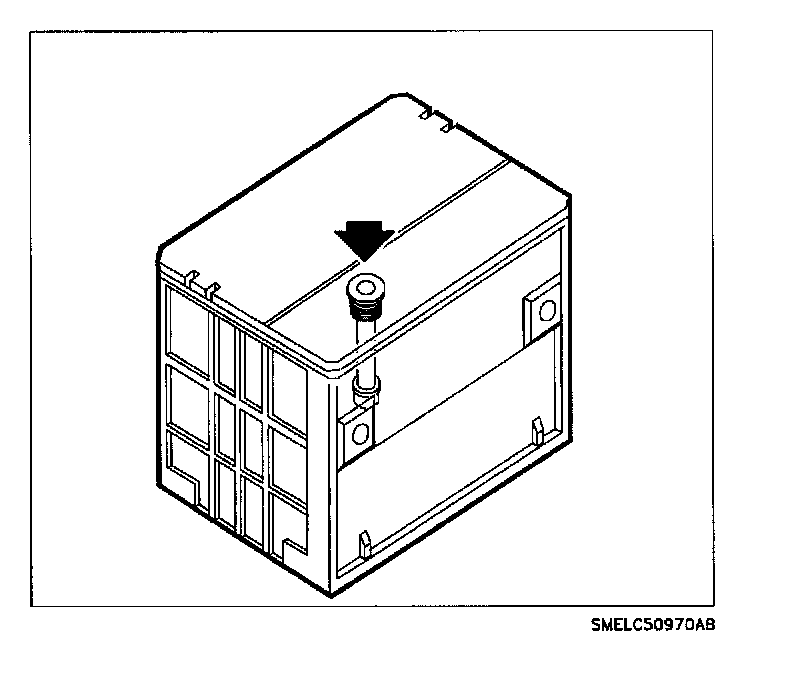
Tap lightly on the eye and observe the built-in hydrometer.
^ Green dot visible: this indicates a sufficient state of charge for further testing.
^ Dark indicator, green dot not visible: this indicates an insufficient charge of less than 65 percent. The battery must be charged. (Refer to "Battery Charging" procedure.) Battery Charging Procedure
IMPORTANT: Do not charge a battery with a clear or yellow indicator.
^ Clear or yellow indicator: this indicates the battery's electrolyte level is low and is not serviceable. The battery must be replaced.
IMPORTANT: Check electrical system before replacement.
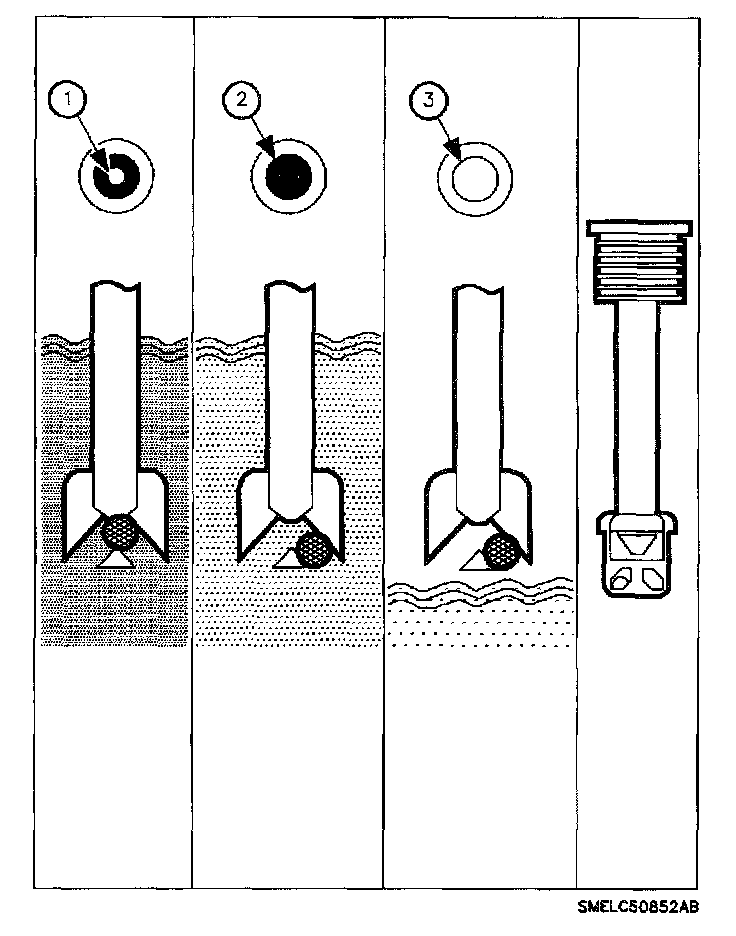
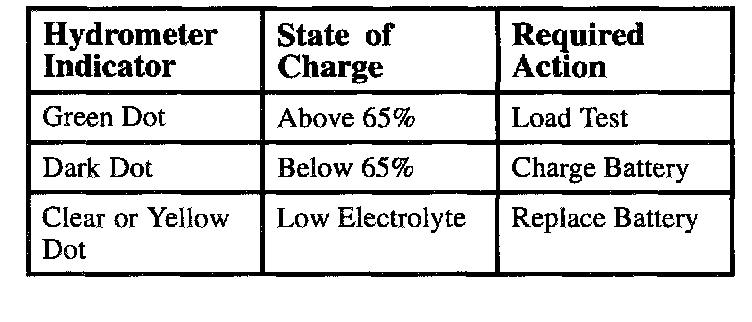
1. Green dot - 65 percent or greater state of charge
2. Dark dot - Below 65 percent state of charge
3. Yellow or Clear dot - Low level of Electrolyte