Catalyst Monitor Sensor
Removal and Installation
1. With the vehicle in NEUTRAL, position it on a hoist.
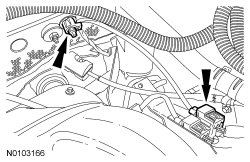
2. Disconnect the Catalyst Monitor Sensor (CMS) electrical connector and detach the wiring retainer.
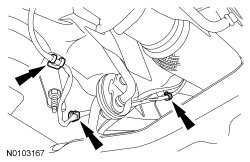
3. Detach the 3 CMS (Catalyst Monitor Sensor) wiring retainers.
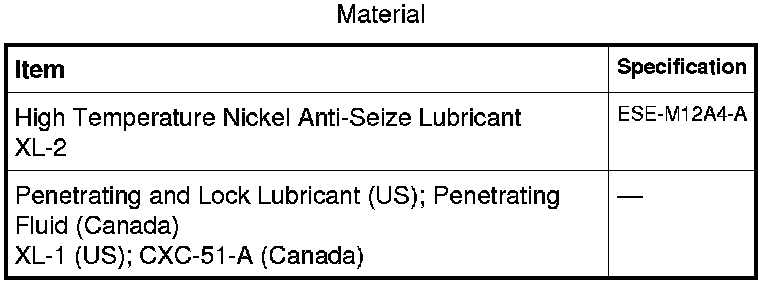
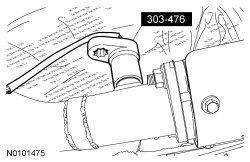
4. NOTE: If necessary, lubricate the sensor threads with penetrating and lock lubricant to assist in removal.
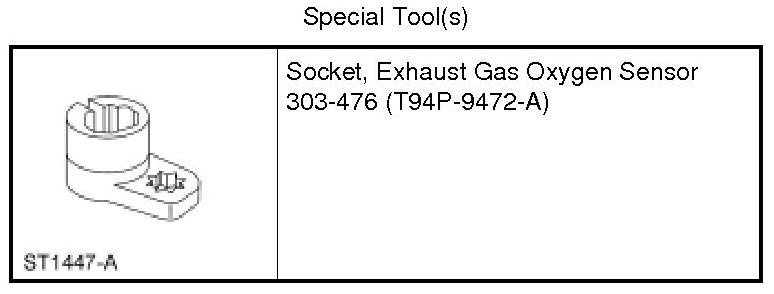
Using the Exhaust Gas Oxygen Sensor Socket, remove the Catalyst Monitor Sensor (CMS).
- Calculate the correct torque wrench setting for the following torque.
- To install, tighten to 48 Nm (35 lb-ft).
5. NOTICE: Make sure that the sensor wiring is routed away from hot surfaces and sharp edges or damage to the wiring may occur.
NOTE: Apply a light coat of anti-seize lubricant to the threads of the CMS (Catalyst Monitor Sensor).
NOTE: Make sure that the electrical connector locking tab is engaged.
To install, reverse the removal procedure.