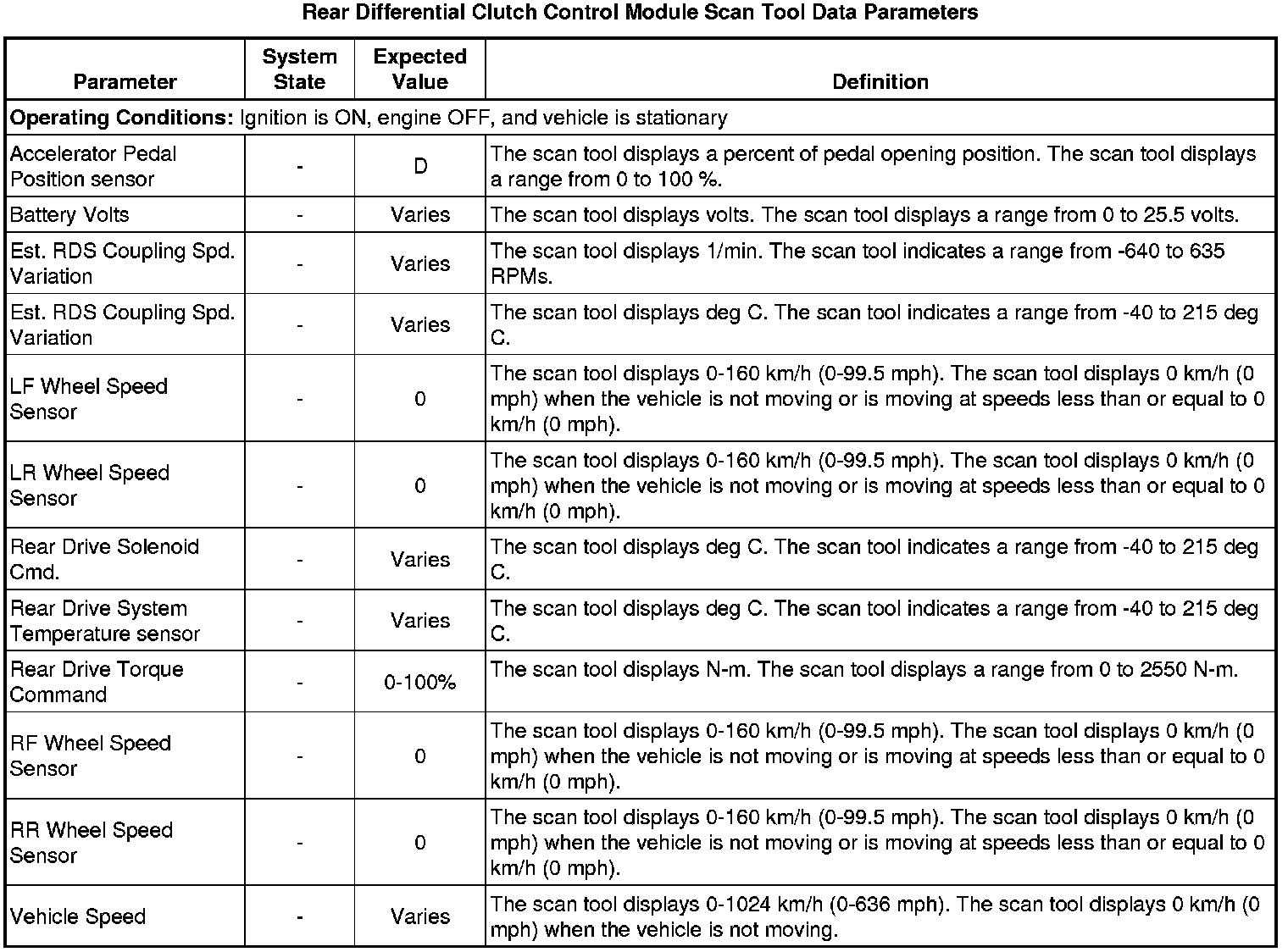
Rear Differential Clutch Control Module Scan Tool Information
The rear differential clutch control module (CCM) Scan Tool Data List contains all the clutch control module system related parameters that are available on the scan tool. The parameters in the list are arranged in alphabetical order. The column, "Data List," indicates the location of the parameter within the scan tool menu selections.
Use the CCM Scan Tool Data Lists as directed by a diagnostic table or in order to supplement the diagnostic procedures. Begin all the diagnostic procedures with the CCM Diagnostic Starting Point. Use the CCM Scan Tool Data Lists only after the following is determined:
* There is no published DTC procedure or published symptom procedure for the customer concern.
* The DTC or symptom diagnostic procedure indicated by the diagnostic system check does not resolve the customer concern.
The DTC or symptom diagnostic procedure indicated by the diagnostic system check does not resolve the customer concern.
The ID Information menu is located on the CCM main screen.